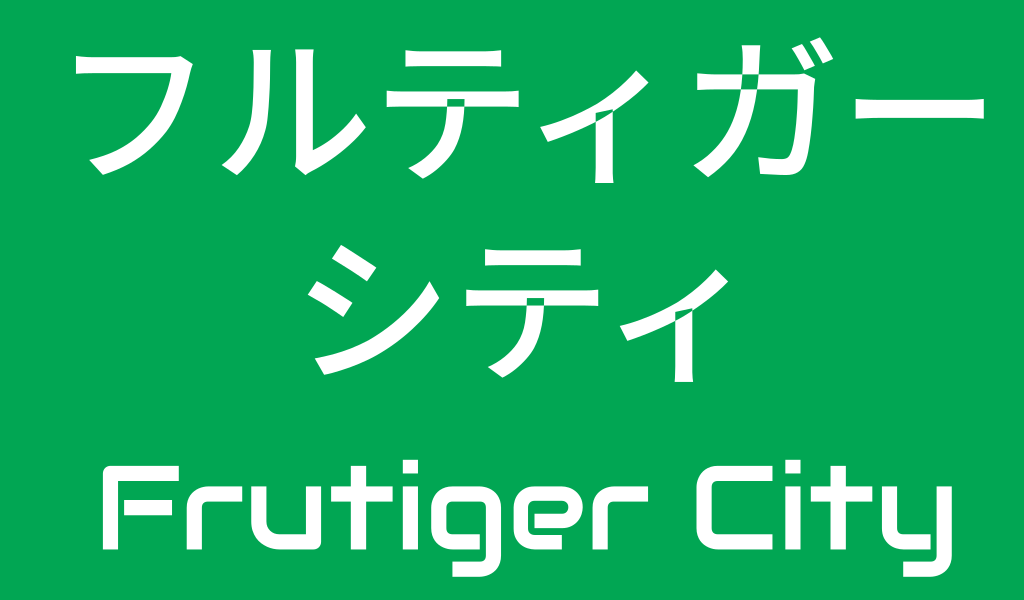
Hello, I am learning to using Inkscape, and this is my first post.
I am making some highway signs as free assets, and the above is a part of the texture of the sign. I used Noto Sans JP, however some fonts have “holes” as default. Which type of Japanese are no “holes“ in Inkscape, or how to fix this issue without using another fonts?
I’m not an Inkscape user (I use Adobe Illustrator), but you’re encountering a path direction problem. Even though I’m not an Inkscape user, I have it on my computer and dug around a bit to find a solution. I’m using a Macintosh, so the steps might be a little different on a Windows computer.
Using the Select Tool, click the text, then convert the text into path outlines (Ctrl + Shift + F) if you haven’t already done so.
Then open the Fill and Stroke sidebar menu and click the Fill tab.
In the top-right corner of that tab, look for the two small star icons. Switch the setting from Even-Odd (the star with the hollow center) to Non-Zero Winding (the solid filled star).
This should have fixed the problem, but if it doesn’t, manually reverse the path directions by doing the following.
Select the Node Tool, then click a single node on the edge of the hole that won’t go away. Then go to the top menu and select Path > Reverse.