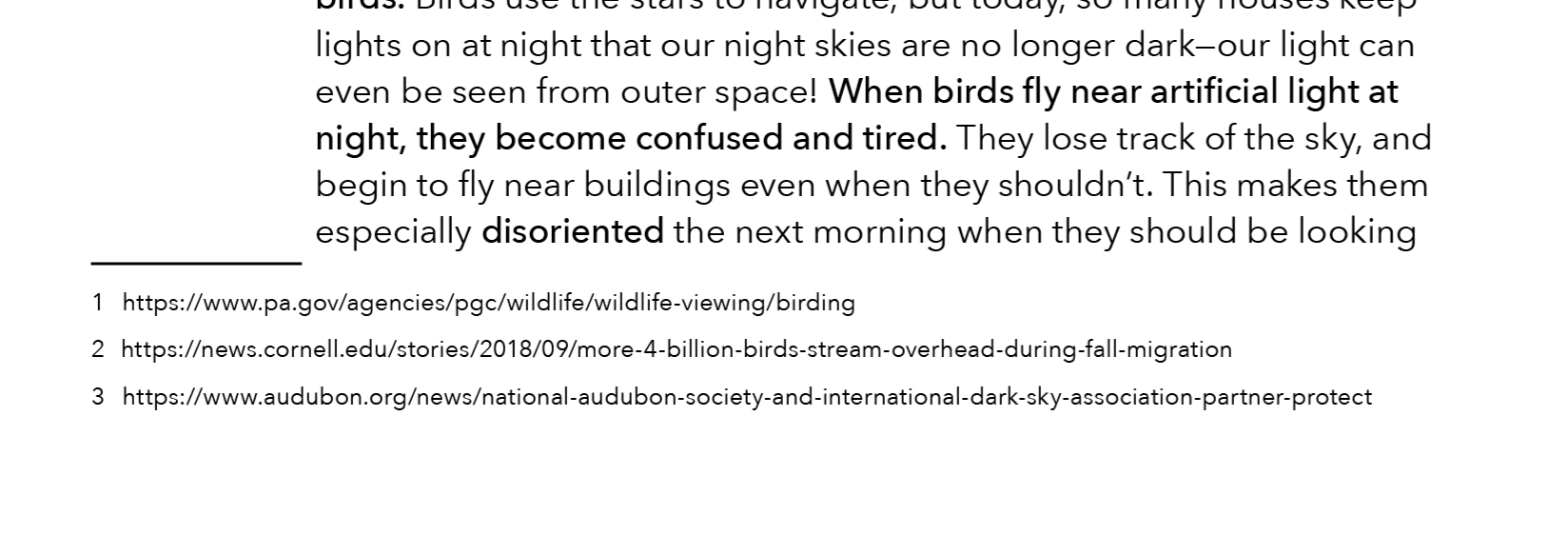
Is it possible to adjust the spacing between the text and the footnote section? I see no way to do so in Indesign. Thanks!
Not familiar with InDesign but if a plain old blank line wont work (but it really should) try a new line with a single character the same color as the background. It may be copied if someone selects the text, but it would work visually.
Or do it in a PDF (make a single page file) and import/insert it.
Good luck!
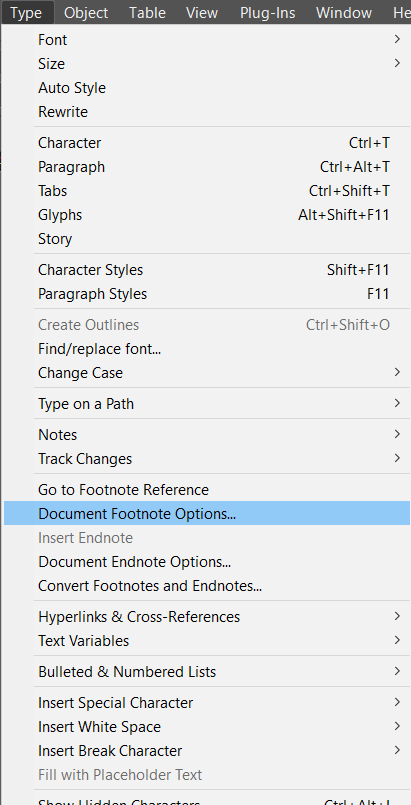
Click the Type menu at the top of the page > Choose footnote options > Click the layout tab > Adjust the spacing options.
Adobe keeps changing things, so you might need to search around a bit and possibly see different wording. I’m using version 21.4.1.
Go to Document Footnote Options
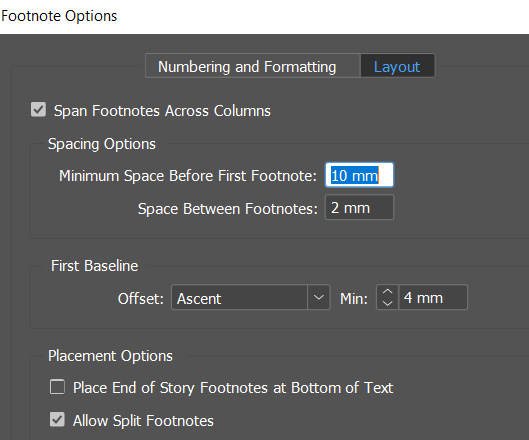
You have to go to the ‘Layout’ tab
The option is ‘Minimum Space before firstnote’ - set this to your desired ‘Minimum’.
The other option is the Place end of story footnotes at the bottom of the text.
If you tick this is it will snap to the bottom of the text - and you can then set the space as you wish.
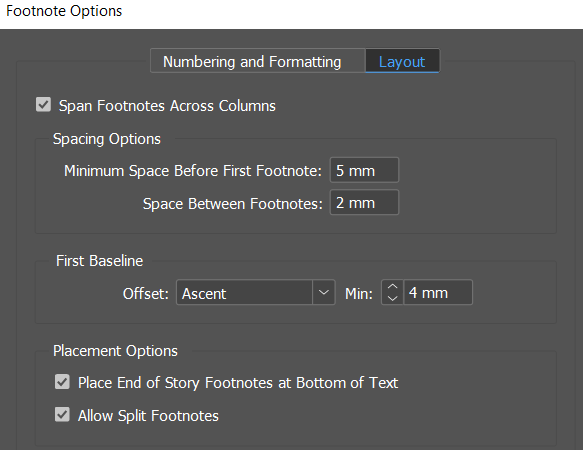
Normal practice is end of the page, from the bottom up - but some lke to be at end of text, especially for short pages or end of chapters.
Awesome. Thank you!