Rich-text editor app design - thoughts?

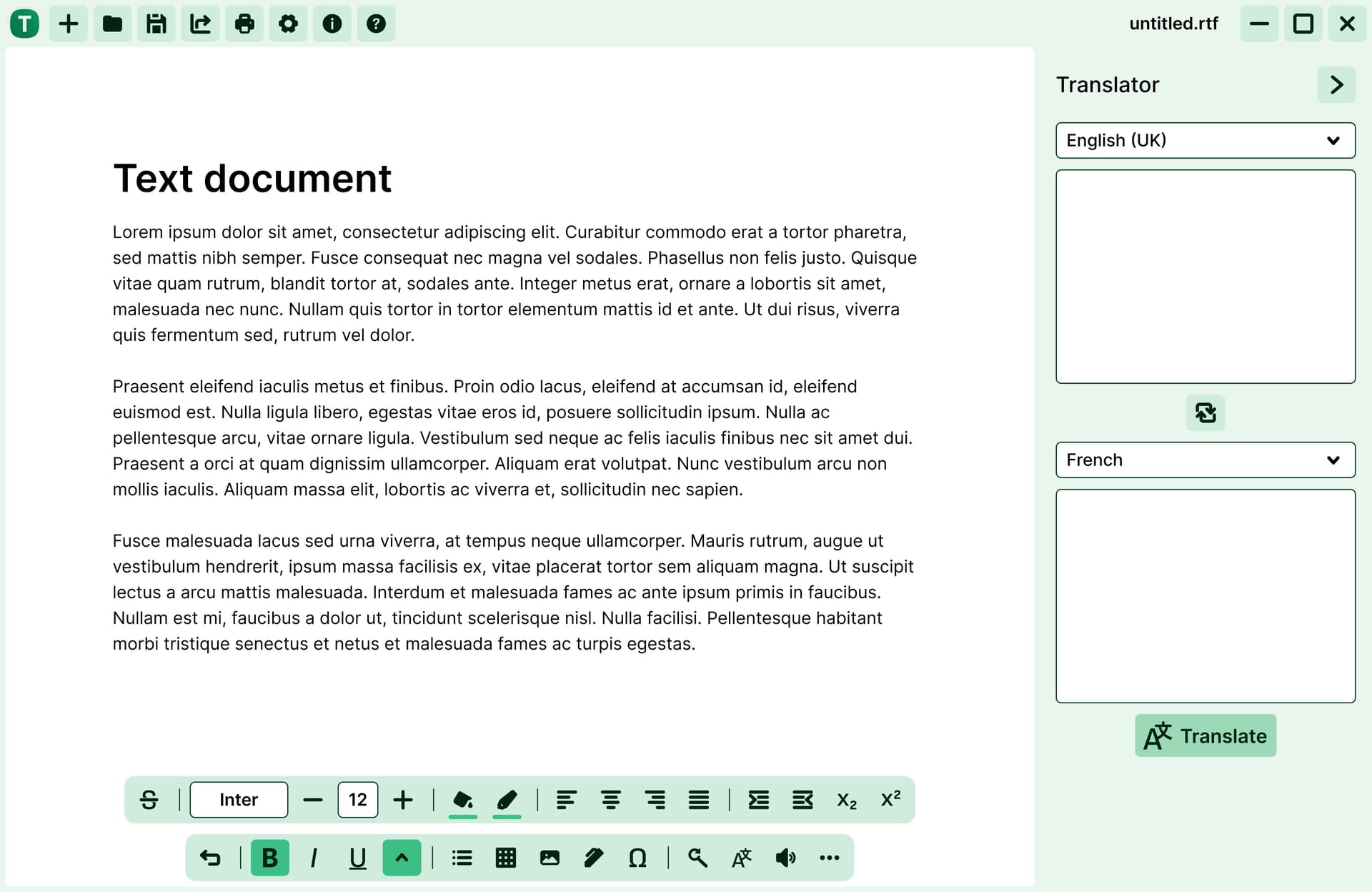
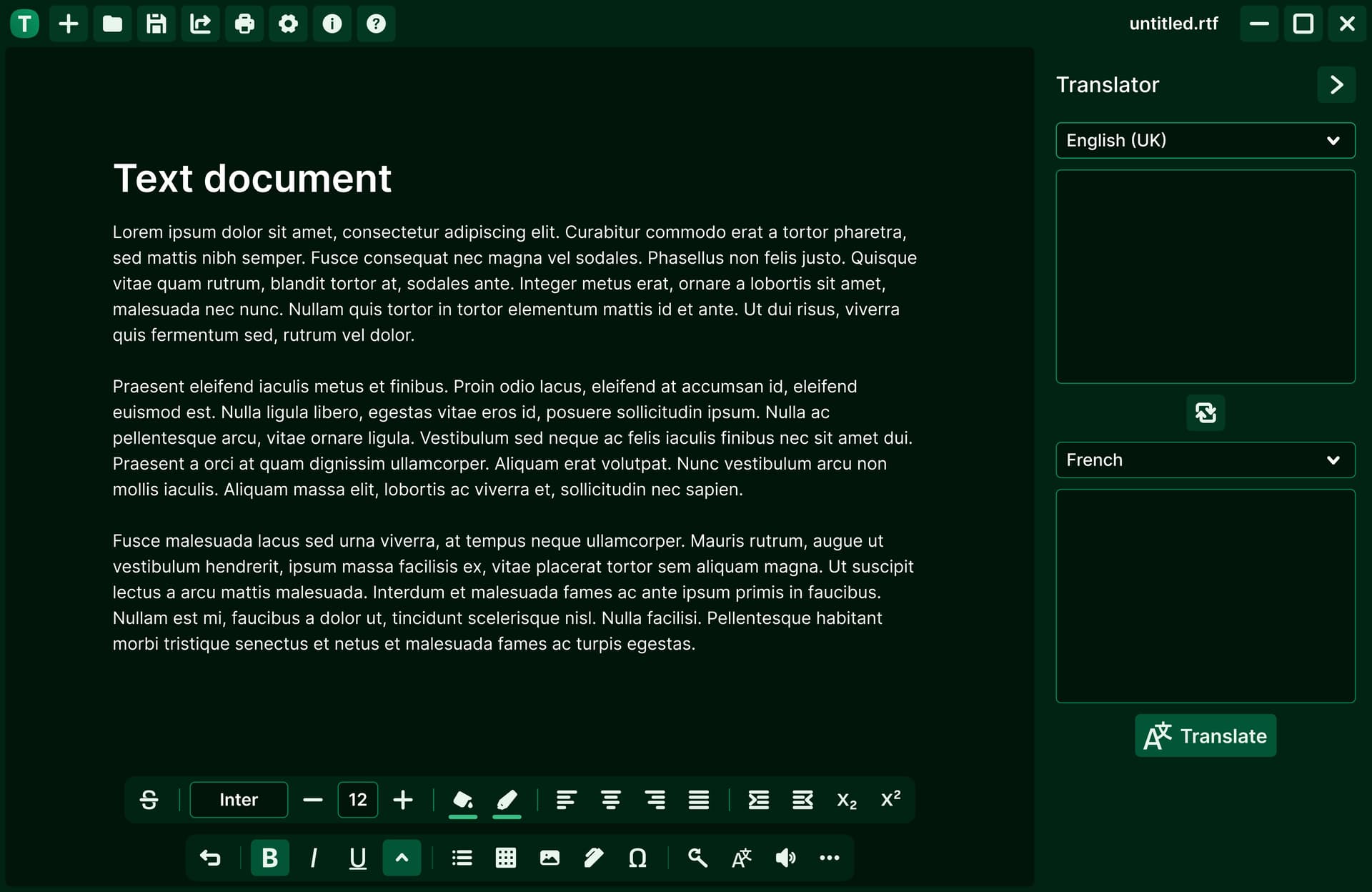
Hi! What are your thoughts on this rich-text editor design? The app is cross-platform and the interface will adapt to the different platforms (e.g. the sidebar would be an overlay on mobile).

Light mode
Dark mode
Thanks in advance.

1 Like

Hi, I think it is very interesting, specially for its minimalistic interface. Very good ! is a web app or made in another platform ? (i don’t know may be Javascript, etc…)

Thanks, yes it’ll essentially be a web app made cross-platform with Tauri

1 Like

Nice and better this way anyone can use the app even for web development, maybe you can make this app to be useful inside a webpage or as a tool if people needs help to modify anything on a webpage. Good for you !

1 Like

Hey, a few questions popped into my mind while looking at this:

  • Who’s the competition? How does this editor stand out compared to existing ones?
  • Who’s the consumer? Any particular age group or user type you’re targeting?
  • Why a rich-text editor specifically? Is it for writing, coding, collaborative work, or something else?
  • Are there any standout features like live voice transcription, on-the-fly translation, or recording?
  • How will it be distributed, web only, app stores, or bundled into other software?
  • UX-wise, how do you imagine it adapting to mobile versus desktop, aside from the sidebar overlay?

Just trying to get a better sense of the strategy behind it.

1 Like
  • Who’s the competition? How does this editor stand out compared to existing ones?
    • The text editor’s goal is to create a simplistic app that’s free of ads and any other distractions often found in apps. The interface would be highly customisable, e.g. which icons to display in the toolbar and which ones to hide away
  • Who’s the consumer? Any particular age group or user type you’re targeting?
    • No particular age group / user in mind
  • Why a rich-text editor specifically? Is it for writing, coding, collaborative work, or something else?
    • It’s mainly for everyday writing use cases
  • Are there any standout features like live voice transcription, on-the-fly translation, or recording?
    • Translation is one of the features as shown in the sidebar, but also there’s a text-to-speech tool, dictionary, etc.
  • How will it be distributed, web only, app stores, or bundled into other software?
    • The app will be available as a standalone web app, Windows app (either MS Store or .exe), Android via Google Play and also certain Linux distros
  • UX-wise, how do you imagine it adapting to mobile versus desktop, aside from the sidebar overlay?
    • The main toolbar would adapt to fit the screen and be scrollable. It’s positioned at the bottom with mobile users in mind, but can be repositioned to the top by the user. Other than that, I wanted to create a similar experience between form factors

Thanks for the context! A few thoughts.

It sounds like the app is aiming for a minimal, distraction-free experience*with a lot of customisation in the toolbar which is a good idea. That could really differentiate it from other editors that feel cluttered or ad-heavy.

I like that it’s targeting everyday writing rather than a niche audience. Features like translation, text-to-speech, and a dictionary could be very useful for general users, though I’d be curious how they fit naturally into the workflow without feeling like extra buttons to click.

On mobile, the bottom toolbar with scrollable icons makes sense, especially if users can reposition it to the top. Keeping a similar experience across desktop and mobile will help users feel at home no matter the device. One thing to think about is how discoverable the customisations are sometimes giving too many options can overwhelm first-time users.

Distribution-wise, covering web, Windows, Linux, and Android is ambitious, but it should give a wide reach. Would be interesting to see if cross-platform consistency can be maintained without compromising performance.

Overall I think it’s a neat approach, clean, flexible, and feature-aware without being bloated.

Also curious about the business side:

  • Is there an upfront cost to the app, or is it free?
  • How will it generate income subscriptions, one-time purchase, freemium features?
  • Are there add-ons or premium extensions that users can buy? Some ideas could include:
    • Contextual toolbars or custom workflows
    • Extra fonts or typography packs
    • Style packs (headings/subheadings/body text/bullets/numbering etc
    • Advanced formatting like scientific notation, equations, or tables
    • Language packs or enhanced translation tools
    • Voice commands or transcription upgrades
    • Collaboration tools or cloud-sync features

Basically, anything that could enhance the core editor without bloating the base app.

Thanks for the detailed response. For now, the app will be free and open source, but perhaps in the future, there’ll be the option for premium features

1 Like

Good stuff, thanks for answering my questions.

As for the layout, no issues. Good luck with it.

1 Like

A web app? Is it to be embedded in a website, or are you saying that it’s a stand-alone app that’s distributed via the web?

Do the translation, voice transcription, and recording features tap into various online resources? I assume the backend wizardry isn’t embedded into the app itself, correct? I know almost nothing about Tauri.

Is the text savable locally to a separate file or internally? Can the text be saved to a stand-alone file? Can the text be exported? I assume the text can be copied and pasted into other apps while retaining its rich text formatting. Correct? Can rich text be turned off? Can images be added via drag-and-drop?

I like what I see. I like its minimal nature, and I can imagine myself using it for quick writing purposes. Do you have a beta demo, or are we just looking at a mock-up?

  • Is it to be embedded in a website, or are you saying that it’s a stand-alone app that’s distributed via the web?
    • It’s essentially going to be distributed as a standalone web app, while also being offered on other native platforms.
  • Do the translation, voice transcription, and recording features tap into various online resources?
    • Yes, these would use online services for the most part, unless there’s a native alternative that can be used with Tauri.
  • I assume the backend wizardry isn’t embedded into the app itself, correct?
    • That’s right, for the web app, there’ll be no references to Tauri - that’s only for the native implementations like Android, Windows and Linux.
  • Is the text savable locally to a separate file or internally? Can the text be saved to a stand-alone file? Can the text be exported? I assume the text can be copied and pasted into other apps while retaining its rich text formatting. Correct? Can rich text be turned off? Can images be added via drag-and-drop?
    • Yes, the standard features that you’d expect from a plain/rich-text editor would be in place.
  • Do you have a beta demo, or are we just looking at a mock-up?
    • Just a mock-up for the time being.