Aggggh! This has been a little pet peeve of mine for years. It’s a simple, little thing to adjust each time, but maddening that Adobe has never fixed it.
Coincidentally, just this morning, I’m working on a job for a local client who sent me the PDF from the same job done last year as a reference. It was built by another designer, and yup, that designer hadn’t bothered to move the crop marks outside the bleed. Whomever it was just probably assumed that Adobe knew what they were doing and left them there.
If someone for whatever reason needs the crop marks to be inside the bleed, fine, let them adjust them to do just that. However, it absolutely, positively should not be the default behavior!
Similarly, in the same PDF setup, is this.
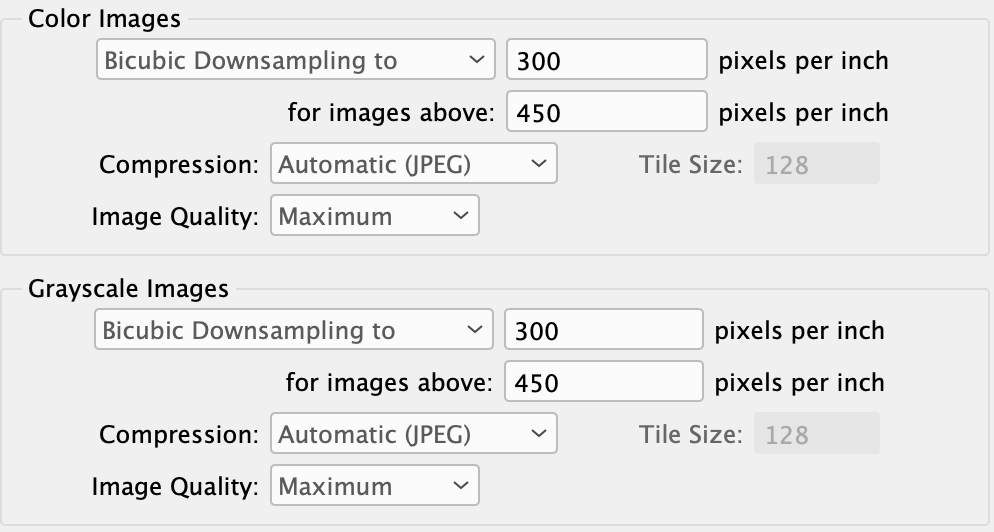
Why would anyone want their color images downsampled differently from their grayscale images? And why would anyone who wanted their images downsampled to 300 ppi only want them downsampled if they were over 450 ppi?
This isn’t quite as annoying to me as the tick mark thing because I can envision circumstances where someone wouldn’t want all their images downsampled. But where did Adobe come up with these wacky defaults? Assuming most people are like me, wouldn’t it be safe to assume as the default that if someone wanted their images downsampled that they’d want them all downsampled evenly — not just for color or for grayscale or when some arbitrary ppi that’s way bigger than the desired ppi was met?