New from Anacortes, WA!

Hi all,

I’m not sure I belong here because I’m just using Canva to design a conference program. It is a contract job for a nonprofit. I used to use MS Publisher and my design skills are fairly minimal. I was hoping to get tips on where I can learn quickly. Thanks for being here!

Hi and welcome!

What sort of tips are you looking for exactly? Layout, typography, preparing for print, or just general design advice?

A few people here use Canva, though most professionals tend to use Adobe software like InDesign. There are other options too, like Affinity Publisher which is a free through Canva.

For a conference program specifically, the structure is usually fairly straightforward. Most are A5 or similar and follow a simple format:

• Front section – cover, welcome message, introduction to the event
• Schedule – the running order of talks or sessions
• Speaker pages – speaker headshots with short bios
• Back section – sponsors, acknowledgements, contact info

For speaker pages, a simple layout works well. A common approach is a two-column layout:

  • a narrow column for the speaker headshot
  • a wider column for their bio and talk description

A couple of practical tips if the program will be printed:

Use high-quality images
Try to use images that are at least 225ppi at the size they’ll print.

Use vector logos where possible
Vector files (AI, EPS, (some PDFs, or SVG (but RGB only) - if not sure stay away from these two) stay perfectly sharp at any size. Raster logos like JPGs or PNGs can become blurry if scaled too much, but can be used if nothing else, just stick the 225 ppi at output size (so if you scale an image that is 225 ppi the ppi increases/decreases proportionally - scaling up an image reduces the PPI.

Add bleed if printing
If any background colour or image goes right to the edge of the page, you’ll need bleed (usually about 3mm). This means the background extends slightly past the trim edge so you don’t get white slivers after cutting. When exporting the PDF for the printer, you include the bleed area.

If the program is digital only, things are simpler, no bleed needed, and file size becomes more important.

If you want, you could also share a page or two of what you’ve done so far and people here can give more specific suggestions. Conference programs are actually a great project to learn layout basics.

Good luck with it!
1 Like

I think there is an important thing, learning design takes time and practice and if you try to do it “faster” then you will take more time and mistakes. If you used MS publisher before there are many options like Smurf2 says as Indesign, Affinity Designer but there are other programs like Inkscape for vector graphic and Scribus for documents like MS Publisher (this program is for publishing but not like MS Publisher). There are other programs like Viva Designer for documents like MS Publish and there is another program as Libre Draw from Libre Office. It just depends on you, what kind of programs do you want use. The best options are the first two (Indesign and Affinity Designer) the other are just alternatives.

I’m not sure those suggestions really fit the situation here.

Inkscape is primarily a vector illustration tool, so it’s not really the right software for laying out something like a multi-page conference booklet.

Tools like Scribus, Viva Designer, or LibreOffice Draw also exist, but they’re fairly niche. Recommending someone with minimal design experience jump into unfamiliar and relatively obscure software, especially when they’re already somewhat comfortable with Canva, doesn’t seem particularly helpful.

There’s also the practical side to consider. If this is a contract job, the files may need to be handed over later, and using uncommon software can create problems for whoever needs to open or edit them.

If they want to move beyond Canva in the future, then something like InDesign or Affinity Publisher would make sense, as those are actually designed for publication layout. But for this project, learning a completely new tool with a steep learning curve probably isn’t the best advice.

1 Like

Hi I totally agree with you, InDesign and Affinity Designer are the top professional programs to use for documentation. I didn’t mention of Canvas since I don’t know, or I have not used yet and yes for a person who is beginner to be a designer, InDesign or Affinity Designer would be the best option for a beginner. Good Point, and thanks so much for share. I will take your opinion for consideration next time when I talk about any other alternative with a beginner.

That’s not what I said.

I’ve worked in this field for decades, in addition to formal university training, so it’s difficult to put myself in your shoes and give advice to a novice who wants to “learn quickly”.

However, I can sympathise in some ways. For example, I know very little about plumbing or automobile mechanics, but I can learn enough to do simple jobs by watching YouTube videos or checking out a book from the library, which saves me a few hundred dollars. Perhaps you can do the same for your conference design program.

Books: https://www.amazon.com/Graphic-Design-Dummies-BenHannam/dp/1394265964
YouTube: https://www.google.com//search?udm=14&q=Youtube+basic+graphic+design

I’ve never had a reason to use Canva for a project, so I can’t give you specific advice. But I found the following.

Canva: https://www.canva.com/programs/templates/conference/

You can also perform your own Google searches to narrow in on specific subjects. I haven’t read, seen, or used any of what I’ve recommended. There is lots of less-than-great how-to advice on the internet. Graphic design advice is no exception, so if something seems irrelevant or wrong, another search or two will probably turn up valuable information.

3 Likes

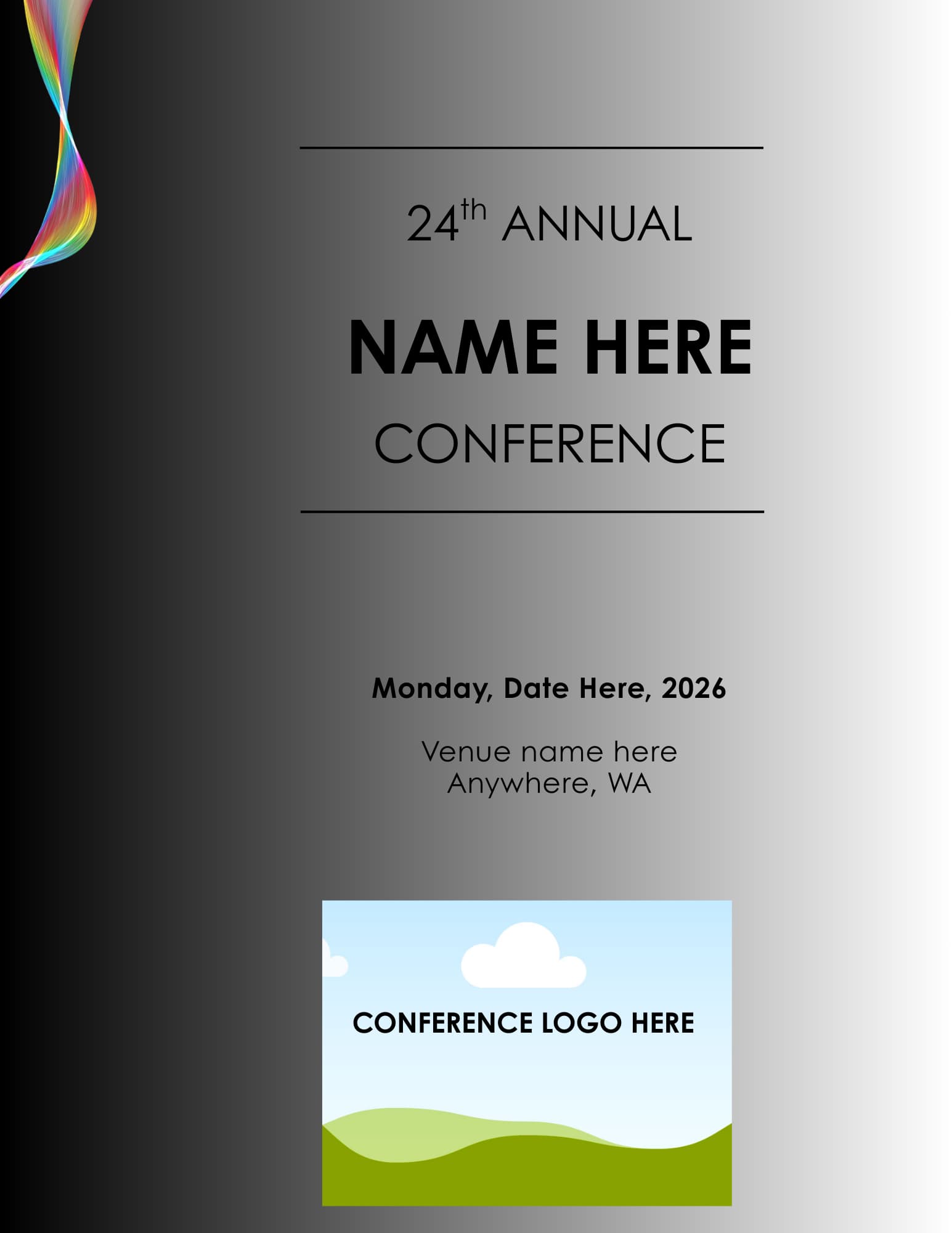
Amazingly helpful response - more than I dreamed! I am attaching the cover page of the program. My main struggle at the moment is the cover art. They want a swirly glittery rainbow “ribbon” going down the left side of the page. I found a great picture on Canva (see attached) but I don’t know how to make it go all the way down the left side of the A4 page. I don’t have photoshop or graphic design experience. If I can’t create something off the small picture on page attached, I could buy a few page borders off Etsy, etc., and crop it to make just the left border. Once I have the left border graphics, I can center the text. I would like to give them 4 or 5 options.

They will be printing 100 copies of this with the cover page in color. I am using bleed on the design.

Thank you in advance for any guidance. So grateful so many people answered my post. Very generous of you. K

1 Like

As said, not really familiar with Canva or Affinity. So no help there.

Guess if it’s a separate element you can just resize it in Canva - not really sure what the issue is.
https://www.canva.com/help/resize-and-crop/

As long as the resolution is available…

1 Like